Full Manual

| USBM232A .. converts a USB mouse to an RS232 mouse |
USBM232A Datasheet by Versalent
|
FEATURES
- Converts a USB mouse to an RS232-output mouse
- Host system does not need USB - it receives RS232
- Works with Microsoft Serial drivers still in Windows (up to Win10) and MS-DOS
- Uses 2-button mouse for movement, buttons, scroll wheel
- Outputs ASCII characters or MS Serial Mouse (Binary) standard or extended Binary output
- E-baud Selectable Baud/Parity from 600 to 115k
- Operates on:
- (legacy compatible) 5VDC
- or (legacy compatible) 6-12VDC w/optional wall adapter
- or 4-30VDC w/optional wall adapter
APPLICATIONS
- Systems without USB support, or no HID drivers
- Embedded systems needing mouse input via UART
- Legacy MS Serial Mouse Format systems
|
DESCRIPTION
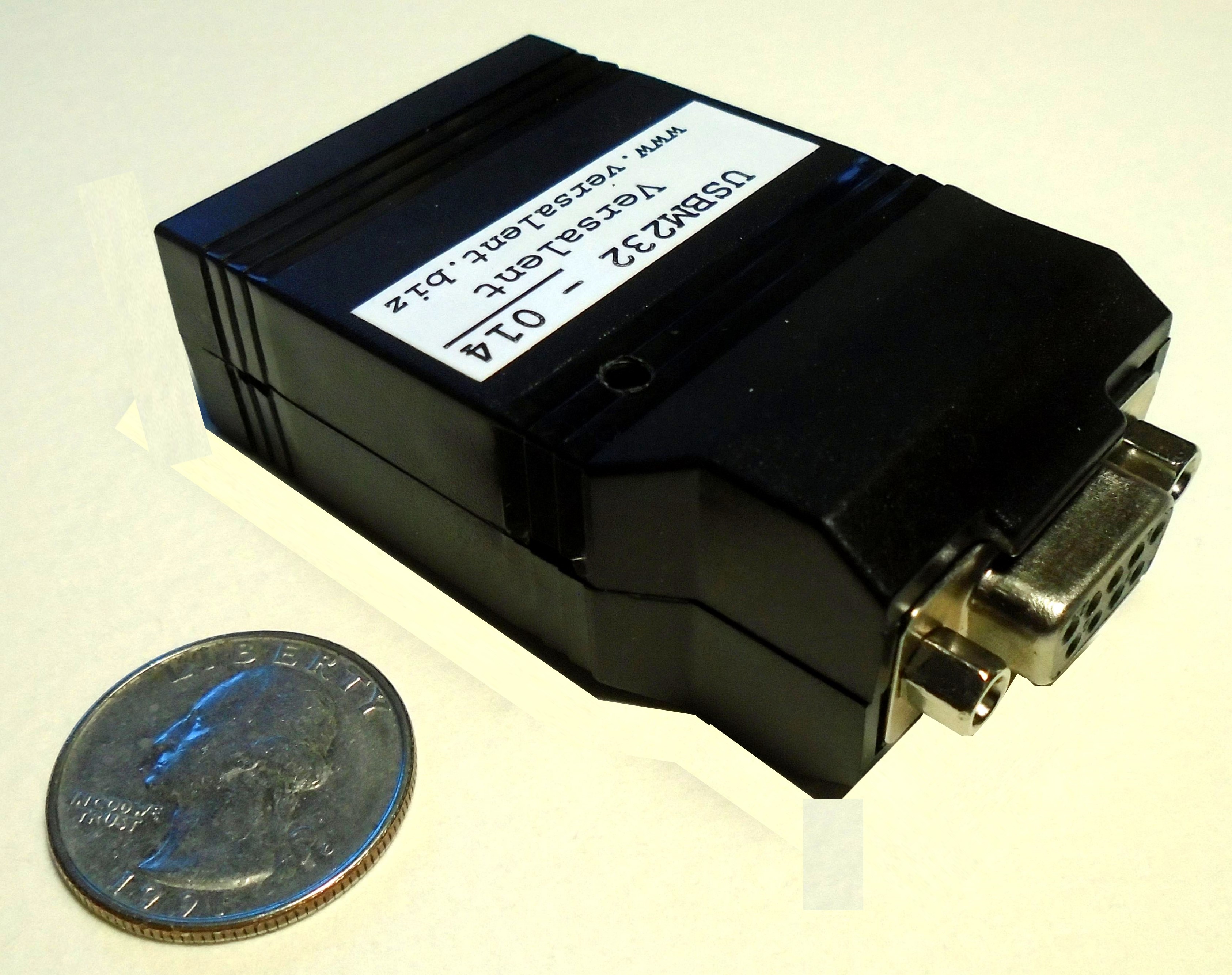
USBM232A is a 2.6" X 1.7" X 0.8" module
which provides translation of the USB mouse signals to serial RS232 characters. This allows even small microcontroller systems to incorporate USB mice without any of the development complexity of USB and HID drivers. The RS232 (ASCII or binary) messages for each mouse movement or click are short so as to minimize transfer latency for fast mouse movement.
Manual available here
Works with wired/wireless mice not needing special drivers. Although some mice include a driver CD for special features, many work with default USB drivers and these will work with the USBM232A. Validated with:
- Wired:
- HP 672652-001 (Model MOFYUO)
- Dell OKD944
- Logitech M90
- 3D Optical Mouse
- Wireless:
- Logitech T620 (Unified receiver)
- Logitech M85 (non-Unified receiver)
- Logitech M-RCE95 (L-bracket receiver)
|
Software Utilities available for download
USBM232 Tester Application .. installs on your PC to set mode, sensitivity, and view mouse data.
|
USBM232A-xxx is available with various power source and RS-232 options to provide the flexibility to mate to a variety of systems without additional adapters.
*All units whether DTE or DCE provide DB9 female connector. Small M/M adapters available for conversion.
|
| Models Available |
| 5V Models | |
| USBM232A-014 | DB9=DCE, +5.0VDC Power supplied via DB9 Pin 4 |
| USBM232A-016 | DB9=DCE, +5.0VDC Power supplied via DB9 Pin 6 |
| USBM232A-034 | DB9=DTE, +5.0VDC Power supplied via DB9 Pin 4 |
| USBM232A-036 | DB9=DTE, +5.0VDC Power supplied via DB9 Pin 6 |
| |
| 6-12V Models | |
| USBM232A-024 | DB9=DCE, 6VDC to 12VDC Power supplied via DB9 Pin 4, or optional 6-12V wall adapter |
| USBM232A-026 | DB9=DCE, 6VDC to 12VDC Power supplied via DB9 Pin 6, or optional 6-12V wall adapter |
| USBM232A-044 | DB9=DTE, 6VDC to 12VDC Power supplied via DB9 Pin 4, or optional 6-12V wall adapter |
| USBM232A-046 | DB9=DTE, 6VDC to 12VDC Power supplied via DB9 Pin 6, or optional 6-12V wall adapter |
| |
| 4-30V Models | |
| USBM232A-124 | DB9=DCE, 4-30VDC Power supplied via DB9 Pin 4, or external wall adapter |
| USBM232A-126 | DB9=DCE, 4-30VDC Power supplied via DB9 Pin 6, or external wall adapter |
| USBM232A-144 | DB9=DTE, 4-30VDC Power supplied via DB9 Pin 4, or external wall adapter |
| USBM232A-146 | DB9=DTE, 4-30VDC Power supplied via DB9 Pin 6, or external wall adapter |
|
Note: DCE Models plug directly into COM port with no pin-swaping |
|
Warranty Home
Questions: sales@versalent.biz Technical: support@versalent.biz
|